
Two version checks decide whether LINE will keep working
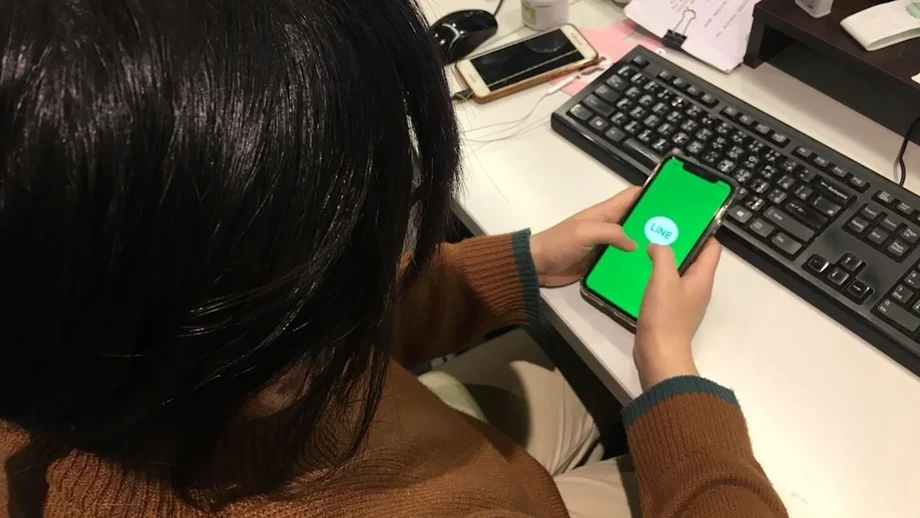
LINE ended support on November 4, 2026, for app versions below 14.6.3 on iPhone and iPad, and below 14.4.6 on Android phones and tablets. Its help center marked the change as completed that day, following an announcement updated on October 16.
Contents
- Two version checks decide whether LINE will keep working
- What are the minimum requirements?
- The system minimum stayed the same in 2026
- Which older iPhones can still qualify?
- Android users need to check the actual system
- How to check and update without deleting LINE
- Apple Watch depends on its paired iPhone
- Back up conversations before changing phones
- Minimum compatibility and newer features are different
- Key Points
For users, the immediate task is to check two things: the version of LINE installed on their device and the version of the operating system running underneath it. An iPhone needs at least iOS 15.0, an iPad needs at least iPadOS 15.0, and an Android device needs at least Android 8.0 to run a version of LINE that meets the cutoff.
Many people can keep using their existing phones simply by updating the app. Older models including the iPhone 6s, iPhone 7 and Samsung Galaxy S7 can still meet the requirements when running the appropriate system and LINE versions. Devices that cannot reach the required operating system need to be replaced with a compatible device if their owners want to continue using LINE.
LINE has not specified exactly which functions will stop first on unsupported app versions, including whether users will lose access to messaging, calls or account login. The practical instruction is to update before depending on the app for everyday communication.
What are the minimum requirements?
LINE requires both the app and its operating system to meet the following conditions. Updating one while leaving the other below the threshold will not resolve the problem.
- iPhone: iOS 15.0 or later, with LINE 14.6.3 or later.
- iPad: iPadOS 15.0 or later, with LINE 14.6.3 or later.
- Android phones and tablets: Android 8.0 or later, with LINE 14.4.6 or later.
- Apple Watch: watchOS 8.0 or later, with LINE 14.6.3 or later installed on the paired iPhone.
An operating system is the basic software that runs a device. LINE is a separate application installed on top of it. A phone can still turn on, take pictures and run other applications while being too old to install the LINE version now required.
The system minimum stayed the same in 2026
LINE raised its minimum operating system requirements in earlier years, but the November 2026 change kept the same iOS 15 and Android 8 minimums used in 2025. This time, the change moves the cutoff for supported LINE app versions.
The history helps explain why some very old phones were already outside the requirements before this announcement. The iPhone 5s, iPhone 6 and iPhone 6 Plus cannot advance beyond iOS 12, so they had already fallen below the iOS 14 requirement introduced in 2024.
- November 1, 2023: Support ended for LINE versions below 11.15.0. The minimum systems were iOS 12 and Android 6.0.
- November 5, 2024: Support ended for versions below 12.18.0. The minimum systems became iOS 14 and Android 7.0.
- November 4, 2025: Support ended for version 13.20.0 and earlier. The minimum systems became iOS 15 and Android 8.0.
- November 4, 2026: Support ended for versions below 14.6.3 on Apple mobile devices and below 14.4.6 on Android. The minimum systems remained iOS 15 and Android 8.0.
A person whose phone already meets the 2025 system requirement should therefore check the installed LINE version before considering a replacement.
Which older iPhones can still qualify?
Apple introduced iOS 15 in 2021 with support reaching back to the iPhone 6s generation. The iPhone 6s, iPhone 6s Plus, first generation iPhone SE, iPhone 7 and iPhone 7 Plus can run iOS 15 and meet the new LINE app threshold.
Those models have a precise limit: iOS 15 supports LINE up to version 14.6.3, exactly the minimum accepted after November 4. Their owners should check that this version is installed. Some newer LINE features may be unavailable on these older systems.
The iPhone 8, iPhone 8 Plus and iPhone X can run iOS 16, giving them access to a later compatible LINE version. The iPhone XR, iPhone XS and iPhone XS Max can run iOS 18. Owners still need to check what is actually installed, because a supported model may be running an older system or app.
The iPhone 5s, iPhone 6 and iPhone 6 Plus cannot reach iOS 15. Updating LINE alone cannot resolve that limitation. For an iPad, the same check applies: it must be capable of running iPadOS 15 or later and a qualifying version of LINE.
Android users need to check the actual system
Samsung Galaxy S7 and Galaxy S7 edge devices can reach Android 8 and use LINE 14.4.6, meeting the cutoff. Android 8.0 and 8.1 support LINE only up to that version, leaving those devices at the minimum accepted app level.
Older Samsung models can fall below the requirement. Some official variants of the Galaxy S5 stop at Android 6.0.1, while Galaxy S6 and Galaxy Note 5 variants stop at Android 7.0. The Galaxy S8, Galaxy S8+ and Galaxy Note 8 can reach Android 9 and support a later compatible LINE release.
Android updates vary by manufacturer, model and region. The useful number is the Android version shown in the device settings, rather than its purchase date. A phone running Android 7.1.2 or earlier needs a system upgrade before it can install a qualifying LINE version.
How to check and update without deleting LINE
Open LINE, go to Home, tap the Settings gear and select About LINE. The version shown there must be at least 14.6.3 on iPhone or iPad, or 14.4.6 on Android.
On an iPhone or iPad, open the device Settings, then General and About to find the iOS or iPadOS version. On Android, open Settings and look for About phone or Software information. Menu names vary between brands.
Visit the App Store or Google Play, search for LINE and select Update if the button appears. If the operating system is below the minimum, install an available system update first, then return to the app store. If a device meets the minimum requirements but LINE still cannot update, LINE advises contacting the operating system service provider.
An older phone may already have the newest LINE version it can run, so the absence of an Update button makes the version check inside LINE especially useful. Do not delete the application as a first troubleshooting step when chats have not been backed up. A normal update on the same device usually keeps chat history in place.
Apple Watch depends on its paired iPhone
Apple Watch users must check the watch and the paired phone together. The watch needs watchOS 8.0 or later, while the iPhone needs iOS 15.0 or later and LINE 14.6.3 or later.
For a watch still running watchOS 7.6.2 or earlier, the upgrade sequence is to bring the paired iPhone to at least iOS 15, upgrade the watch to at least watchOS 8, and update LINE on the iPhone. A watch that cannot reach watchOS 8 falls below the required environment.
A watch already running watchOS 8 or later may only need its paired iPhone's LINE installation brought up to the required version.
Back up conversations before changing phones
Users moving to another device should check their account login details and back up conversations while the old phone is still usable. In LINE, open Home, Settings, then the backup and account transfer menu, and select the chat backup option. Menu wording can vary with language and app version.
LINE offers a backup PIN consisting of six digits that can help transfer the most recent 14 days of chat history, including when moving between Android and iPhone. Keep the PIN secure: entering it incorrectly 10 times prevents it from being used to restore those conversations.
Standard cloud backup uses iCloud Drive on iPhone and Google Drive on Android. It can restore backed up text conversations when moving from iPhone to iPhone or Android to Android. Moving between the two operating systems requires another supported transfer method, such as the backup PIN or a QR code transfer while the old device remains usable.
Standard backup excludes photos and videos in chats, so save important media separately. LINE Premium members who have completed advanced backup can transfer older backed up history between operating systems. Users should also confirm that the phone number, email address or linked Apple or Google account used for account access is current.
Minimum compatibility and newer features are different
LINE lists iOS 18.0 or later and Android 11.0 or later as its recommended environments. Devices at the minimum can continue with compatible older app versions, while the recommended systems support the latest releases.
LINE has also stopped offering the Edit messages feature through LINE Labs and plans to remove its entry from Settings. The company says the feature will become exclusive to LINE Premium members. This is a separate change affecting a particular feature; the November cutoff concerns which app versions can continue receiving service.
Key Points
- Support ended November 4, 2026, for LINE below 14.6.3 on iPhone and iPad, and below 14.4.6 on Android.
- The minimum systems remain iOS or iPadOS 15 and Android 8, unchanged from 2025.
- Older devices including the iPhone 6s, iPhone 7 and Galaxy S7 can still qualify with the correct software.
- Apple Watch needs watchOS 8 or later and a paired iPhone with a qualifying LINE version.
- Check app and system versions before replacing a phone, and back up conversations before transferring an account.