

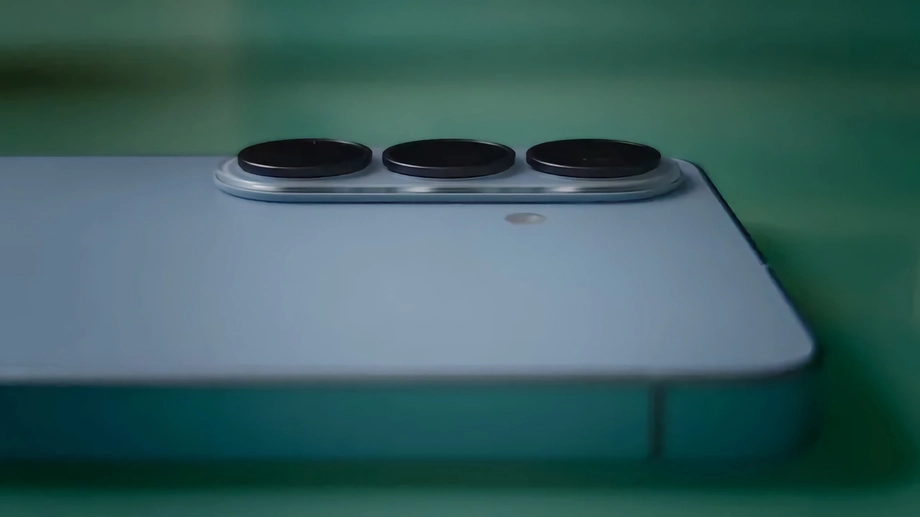
What the beta code puts inside the camera
Samsung's Galaxy camera app may be moving from taking pictures to explaining the world in front of the lens. Code in One UI 9.5 Beta 1, found in Galaxy S26 Ultra firmware, lists a camera mode called Vision under the string SM_VISION_AI and a Photo mode feature called 'Portrait effect in Photo' under the internal name Auto portrait. Vision would let a user point the phone at a scene, get a short AI generated description and then ask questions. Auto portrait would spot a face or a pet and blur the background without making the user switch modes first.
Contents
- What the beta code puts inside the camera
- Dates behind the leak
- How Vision mode would turn the lens into a question box
- Ask and Translate send the picture to different places
- Why the shutter would freeze the picture
- Auto portrait would blur the background as you shoot
- Why the Galaxy S26 Ultra may miss both features
- Apple's camera mode shows the pattern
- What is still unknown
- Camera hardware expected alongside the software
- Key Points
Neither feature works on the Galaxy S26 Ultra, even with the beta installed. The code indicates that both need system parts or hardware the phone does not have, which makes the Galaxy S27 series the likely first home. The most specific timing in circulation is a January 2027 Unpacked event, according to a Korean tipster, with February also possible; other accounts say early 2027. Samsung has not officially announced the launch date, a final feature list or a list of supported models. The expected lineup is the Galaxy S27, S27+, S27 Pro and S27 Ultra, with a possible S27 Edge as a fifth model, although that model is unlikely to launch alongside the rest. Samsung has not confirmed that lineup, but said on its Q3 2026 earnings call that it wants each Galaxy S27 model to offer a more distinct experience.
The finding matters because it shows how Samsung is arranging its AI tools. Questions would go to Google's Gemini, translation would stay with Samsung's own AI Vision app, and a new background component named Visual Agent Service would handle the live preview before any question is asked. For ordinary users, the change would be simple: one mode in the camera could explain a street sign, a plant, a menu or a pet photo setup without opening a separate assistant.
Dates behind the leak
The story unfolded over a short period, and the dates explain why the beta build has become a window into next year's phones. Samsung announced the One UI 9.5 test program on November 18, 2026, for Galaxy S26 owners in Germany, India, South Korea, Poland, the United Kingdom and the United States. The One UI 9.5 beta already included public camera changes such as improved Pro controls, finer manual sliders, histograms, audio meters, a unified default camera layout and a redesigned zoom bar. The software is based on Android 17 and is expected to ship on the Galaxy S27 out of the box.
- June 8, 2026: Apple showed the Siri camera mode that iOS 27 added to the iPhone Camera app.
- November 18, 2026: Samsung opened the One UI 9.5 beta for Galaxy S26 phones in six markets.
- November 27 to 29, 2026: code details about Vision mode and Auto portrait spread through technology coverage.
- January 2027: the Galaxy S27 series is rumored to arrive, although Samsung has not confirmed that month.
A teardown means opening the software package and reading text strings that the public cannot see in the settings menu. It can reveal names, buttons and planned flows, but it cannot show final timing. Samsung can still change or remove unfinished features before a stable release.
How Vision mode would turn the lens into a question box
Vision would sit in the main camera mode strip beside Photo and Video, like any other way of using the camera. When it opens, the shutter icon may change shape and the live preview may stream to Visual Agent Service, a Samsung component missing from the S26 Ultra. The camera app would then show a card describing the scene, a row of tappable keywords and a footer reading 'This content was generated by AI'.
Below that card, the code points to suggested actions, a button for pulling text out of the scene and a flashlight toggle. Tapping a keyword could start a question based on that word, such as asking what a plant is or what a label means. The Ask button would carry the current camera frame to Gemini. The code also indicates that a keyword question would be copied to the clipboard, so the user could paste it elsewhere.
The design is closer to a search tool than a traditional camera mode. A user could point at a foreign menu, read the summary, tap the word that looks unfamiliar and continue in Gemini. Someone looking at a product shelf could ask for differences between two items. A student looking at a museum label could ask for a simpler explanation. These are everyday uses made possible by connecting the camera view to a large language model, software that answers questions in ordinary language.
Ask and Translate send the picture to different places
The two buttons beside the shutter split the job. Ask appears to send the frame to Google's Gemini app for general questions. Translate appears to send it to Samsung's AI Vision app, which handles camera based translation. That separation matters because the user may not want the same kind of help for every scene.
AI Vision is what remains of Bixby Vision, Samsung's older camera assistant. It keeps the old Bixby Vision package name, and some strings still say 'Welcome to Bixby Vision.' On the S26 Ultra, the app has no icon in the app drawer. It opens from the camera and powers the live translation feature that arrives with the Galaxy S26 series. Samsung hid the old Bixby Vision button in the camera's More menu with One UI 9, so this would be a new route back to a familiar idea.
The AI Vision app translated Hindi text into English within seconds in a check on the S26 Ultra. On that phone, translation ran locally. Translation means the app reads letters in the camera image, recognizes the language and shows the meaning in another language, without the user typing the words.
New One UI 9.5 strings show a setting called 'Process data only on device.' Its summary says, 'For added privacy, process AI Vision data on your device instead of online.' The setting appears only on phones with a newer Galaxy AI version than the S26 Ultra, outside China, and it is off by default. Other strings mention network errors, a translation consent screen, a content filter and a fallback to local translation when the phone cannot connect. Together, they point to online translation for users signed in to a Samsung account, with local processing available as a choice or a fallback on supported devices.
Why the shutter would freeze the picture
In Vision mode, pressing the shutter would not save a photo to the gallery. It would freeze the live preview, leaving the same frame on screen while the user asks questions. That small design change could make the mode feel less like taking a picture and more like placing a magnifying glass over the world.
Freezing the frame helps in two ways. The user does not have to hold the phone perfectly still while typing or reading an answer, and the AI keeps working on one clear image. It also keeps the camera roll free of screenshots that were never meant as photographs. The action still uses the familiar shutter button, which makes the new mode easy to understand.
Galaxy owners can already share a camera view with Gemini Live and use Circle to Search on content already on the screen. Vision mode would bring camera questions into the camera app and put Samsung's own summary in front of Gemini. The practical change is fewer steps: open the camera, swipe to Vision, look at the card and choose an action.
Auto portrait would blur the background as you shoot
The second feature is listed in code as 'Portrait effect in Photo' and internally called Auto portrait. It would work in the regular Photo mode and would not require a switch to Portrait mode. When the camera detects a human face or a pet, it would apply background blur automatically. A viewfinder switch would let the user turn the effect on by hand, and the code string 'bokeh_effect_blur' names the Blur slider that controls the strength.
Background blur, often called bokeh, makes the subject sharp while the area behind it looks soft. Portrait mode does this by working out depth, meaning which parts of the scene are close and which are far away. Auto portrait would do that work during shooting, so a moving dog or a child could be photographed without a last second swipe to another mode.
Apple's iPhone 15 took a different route. When it detects a person, cat or dog in a normal photo, it saves depth data so the owner can add a portrait effect later in Photos. Samsung's code suggests a live capture state, with the blur applied as the picture is taken. The result would be closer to seeing the finished portrait in the viewfinder before pressing the shutter.
Why the Galaxy S26 Ultra may miss both features
The strongest clue about timing is not the feature names but the checks around them. The One UI 9.5 Beta 1 build contains more than 30 unreleased features that look for a newer Galaxy AI version than the S26 has. Code in Samsung apps labels 20261 as the S26 level and 20271 as the S27 level. The tested S26 Ultra reports 20263, which is above the S26 baseline but still below 20271.
Some of those features may only need the software number to change. When testers forced 20271 behavior on an S26 Ultra, AI select recognized an 83 row table and offered to copy it. Vision mode and Auto portrait behaved differently. Neither worked, and the code points to hardware the S26 Ultra lacks. Visual Agent Service is also absent from the S26 family, so the scene summary step has no visible home on the tested phone.
Other items behind the same version check include Recompose in Gallery, ProScan document scanning, call audio erasing, fake call detection, call recording for apps outside Samsung's own and new Scam Detection languages. The language list covers UK and Australian English, German, Mexican Spanish and French as used in France. US English Scam Detection already works on the S26. Three features are marked for Galaxy AI Premium, Samsung's paid tier: Gen Video, the browser Ask anything tool and a Now Brief Bixby action card. Gen Video also shows a credit system, with one credit per video. Vision mode is not in that paid group.
Other version check items show a mix of local and cloud work. AI select may pull events from screens through Samsung's private AI cloud, while Voice Recorder speaker separation appears to need cloud processing for summaries and asks users to switch off local only processing first. Other findings from the same beta include hints about the Now Bar and a setting to keep front camera video level.
History leaves room for a later move down the lineup. The Galaxy S25 received several S26 features through One UI 8.5 about two months after the S26 went on sale. Memory prices are rising and phone upgrade cycles are longer, which gives Samsung a reason to attach visible new tools to a new flagship. The code still points to the S27 as the first likely device for the camera features.
Apple's camera mode shows the pattern
Apple's iOS 27 moved Visual Intelligence out of a separate camera control and into the iPhone Camera app as Siri Mode. It sits beside Photo and Video, shows a description card at the top of the viewfinder and places buttons on both sides of the shutter. Apple's version suggests actions such as identifying a plant, commenting on the nutrition of a meal, adding an event from a flyer to a calendar or turning a business card into a contact. It requires iPhone 15 Pro or newer models.
Samsung's Vision mode follows the same broad idea. The user sees first and asks second. The phone offers a short description, then hands the hard question to an assistant. On a Galaxy, that assistant is Gemini for general questions, while Samsung keeps translation inside AI Vision. That split shows Samsung using Google's strength in conversation while keeping control of the first screen the user sees.
The Galaxy S26 series already ships with Google's Android AI features and Perplexity, so Vision would be another layer rather than the first AI service on the phone. Apple's Siri Mode arrived on June 8, 2026, and the Samsung code appeared in late November. The closeness in layout suggests that camera based AI is becoming a standard flagship feature rather than an odd extra. For users, the benefit is less about the brand name on the AI and more about where the tool lives. A camera app is opened many times a day, so placing visual search there removes the need to remember which assistant to launch.
What is still unknown
Samsung has not announced Vision mode or Auto portrait, and the company has not said whether the scene summary is generated on the phone or in the cloud. That question matters for privacy. Local processing keeps camera data on the phone, while cloud processing sends data to a server. Visual Agent Service is not present on the S26 Ultra, so the code alone cannot show which route Samsung plans to use.
No final support list, price, stable software date or Hong Kong release plan has been given. The Galaxy S27 launch timing is also unconfirmed, with January 2027 circulating as the most precise month. Samsung can change names, buttons and feature availability before release. The code offers a clear direction, but buyers waiting for a guaranteed upgrade still need a formal announcement.
Camera hardware expected alongside the software
The software story fits with separate claims about the Galaxy S27 camera hardware. A 200 megapixel ISOCELL HP6 sensor is expected in the Galaxy S27 Pro and S27 Ultra, replacing the ISOCELL HP2 sensor used in Galaxy Ultra phones since the S23 Ultra. The sensor is expected to use DeepPix, a technology similar to LOFIC that aims to widen dynamic range, meaning the gap between the darkest and brightest parts of a photo. It may also cover the 3x to 5x zoom range.
Two people who publish claims about unreleased Galaxy devices have described gains in night photography. @WalleGalaxy said night mode was heavily reworked with help from AI. Ice Universe, another leaker who posts about unreleased Galaxy hardware, said the new main camera would improve brightness and detail at night. He described the video quality in one word:
impressive
These claims are separate from the camera app code, but they point to the same idea: Samsung may be pairing new optics with new AI tools.
The Galaxy S27 Pro rumors described a smaller premium phone with cameras shared with the Ultra model. That would matter for Vision mode and Auto portrait if the features require both new sensors and new processing. A smaller flagship with Ultra class cameras could give more buyers access to the same camera tools, if Samsung decides to include them.
Key Points
- One UI 9.5 Beta 1 code on the Galaxy S26 Ultra lists Vision mode and Auto portrait, but neither works on that phone.
- Vision mode would show an AI generated scene card, keywords, suggested actions, text extraction and a flashlight toggle.
- Ask would send the camera frame to Gemini, while Translate would use Samsung's AI Vision app, built from the remains of Bixby Vision.
- In Vision mode the shutter would freeze the preview instead of saving a photo.
- Auto portrait would blur backgrounds in Photo mode when it detects a face or a pet, with a Blur slider for manual control.
- The code suggests both features need hardware the S26 Ultra lacks, making a Galaxy S27 debut likely in January or early 2027.
- Samsung has not announced the features, final dates, supported models or where the scene summary will be processed.