A single brief can now produce a coordinated image series
Kuaishou has launched Kling Image 4.0 with native 8K image generation, support for up to 2,000 characters inside one picture and a mode that creates as many as 10 related images from a single prompt. Available through Kling Creative Studio and an application programming interface (API), the release targets advertising, storyboards, product displays and online shopping pages.
Contents
- A single brief can now produce a coordinated image series
- What launched, and when?
- What does native 8K offer?
- Text capacity meets a demanding poster test
- How does a set of 10 images work?
- Long product pages gain editable layers
- References guide subjects, lighting and colour
- One architecture handles understanding and generation
- The Bottom Line
The model launched on Tuesday night, November 17, 2026. Kling AI published its Image 4.0 user guide on November 18, listing native 2K, 4K and 8K output, up to 10 reference images per input and tools for dividing long images into editable layers.
Kling AI is selling a workflow as much as a picture generator: describe a project, supply visual references, generate a coordinated set, then revise individual elements. Its advertised capabilities bring several tasks into one platform, including photography simulation, text layout, image editing and planning a sequence of scenes.
Early published tests show why those capabilities could be useful, while identifying practical weaknesses. A poster containing about 400 Chinese characters had text errors, and some edited images contained rough details or changes beyond the requested scope. The launch therefore puts both production capacity and the amount of correction needed into focus.
What launched, and when?
Kling Image 4.0 is a still image model, separate from the Kling 4.0 video model. Its immediate outputs are pictures, including related scenes that creators can use to plan a story or prepare material for later video production.
The release unfolded across two dates:
- November 17, 2026: Kuaishou launched Kling Image 4.0 on Tuesday night, with access through its creative platform and an API.
- November 18, 2026: Kling AI dated its user guide, and published testing examined photography, editing, commercial layouts and sequences of images.
The API gives developers and enterprise customers a way to connect the model to their own software. Pricing, generation times and any differences in access between subscription levels were not specified in the launch information.
What does native 8K offer?
Kling AI lists three native output resolutions: 2K, 4K and 8K. Native generation means the model creates an image at the selected resolution, rather than relying solely on a later step that enlarges a smaller picture. The company says 8K gives users more room for large displays and cropping.
A crop removes part of an image to concentrate on a face, product or other detail. Starting with more pixels can leave more image information after that cut. Kling AI says the model also improves lighting transitions, skin texture, fabric and other material details.
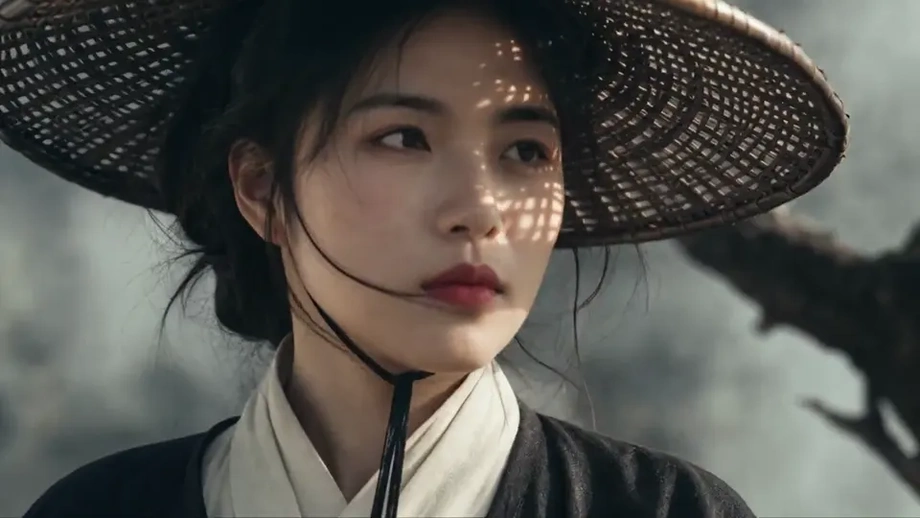
Published portrait tests described fairly natural lighting between people and their surroundings. Enlarged sections retained visible hair and clothing texture, although imperfections remained in the realism of both the subjects and the setting. Landscape exercises covered morning mist in a valley, sunrise over snowy mountains and sunset in a desert, with differing light and depth across the scenes.
The guide also lists formats for different placements, including square 1:1 images, vertical 3:4 images, widescreen 16:9 and wider 21:9 compositions. That gives creators options for matching a picture to a product listing, presentation or cinematic frame before generating it.
Text capacity meets a demanding poster test
Kling AI says Image 4.0 can place up to 2,000 characters within a single image and accept instructions of up to 15,000 tokens. A token is a unit used by the model to process information, often a word or part of a word. The instruction allowance governs the brief; the character allowance concerns text appearing in the finished picture.
The distinction matters for a complicated advertisement. A creator may use a long brief to specify the product, background, lighting, wording and layout, while asking for only a short headline on the image itself.
The official guide names six languages: Chinese, English, Japanese, Korean, Spanish and Portuguese. Launch coverage describes support for seven languages, while the broader introduction separately identifies simplified and traditional Chinese writing. Users working across markets will need to select the appropriate language and writing system for their material.
Kling AI also lists more than 70 commercially licensed fonts and support for an uploaded image to guide typography. Users can edit text and font styles within generated images, according to the official introduction.
A published commercial design test asked for a technology magazine poster with about 400 Chinese characters, a large headline, an office illustration and a cream, blue and orange palette. The result separated the headline, body text and illustration into readable areas, but included text errors and relatively limited design flair in the dense layout.
Follow up attempts to change fonts and replace selected wording were described as accurate. For designers, that combination makes revision a central part of the workflow: the system can assemble a page and then accept targeted corrections, while finished copy still needs checking.
How does a set of 10 images work?
Kling Image 4.0 offers Default Mode and Series Mode. Default Mode generates one or more pictures from a prompt. Series Mode is designed to produce related pictures together, with up to 10 images in one generation.
Kling AI says its planning capability determines what each picture should show while keeping subjects and visual direction consistent. For a storyboard, that means distributing a story across different shots instead of repeatedly generating variations of one scene.
One published test used a suspense story about a young woman waiting at a subway station late at night. She finds a red ticket and, when the final train arrives, sees a version of herself from 10 years in the future. The generated sequence moved between wide views, closer shots and facial details while keeping the main character's appearance and clothes fairly consistent.
Another sequence followed an office programmer imagining travel to a beach, mountains, a desert and space before a work message interrupted the escape. The story progressed across the images, although some shots had an artificial, plastic appearance.
A third exercise requested 10 views of the same Xinjiang valley from morning to sunset. Different angles and changing light produced a shared documentary style. Together, the exercises show the kinds of continuity the feature attempts to manage: a person across scenes, a narrative across locations and a landscape across a day.
Long product pages gain editable layers
Kling AI also supports long images for online shopping detail pages and website designs. These combine product pictures, explanatory text and separate visual sections into a single extended layout.
A published test supplied a laptop photograph and requested a complete product page containing a main product visual, selling points, appearance details, usage scenes and specifications. The generated page organised those components into distinct sections with a fairly consistent style.
The official guide adds a practical editing feature: long images can be split into layers, allowing individual elements to be edited and regenerated. A layer is a separate part of a composition that can be changed without rebuilding every other part. For a product page, that could make it easier to revise a visual section after the initial generation.
Product advertising tests also used photographs of sneakers, a watch and a laptop. The resulting posters varied their colours, composition and typography to suit the products. This is a more specific commercial task than creating an attractive standalone image: the generator must organise information around an existing object.
References guide subjects, lighting and colour
Kling Image 4.0 accepts up to 10 reference images per input. References can supply material for an edit or guide choices such as typography, colour and lighting. The company also describes more than 110 preset colour grading styles, which change the colour treatment and mood of a picture.
Editing tests included a wedding photograph featuring a bride, groom and five relatives or friends. Requests changed the artistic style and lighting while retaining the main composition and relationships among the people.
Another exercise modified the protagonist of Phantom Blade Zero, replacing his clothing with a yellow and black kung fu outfit associated with Bruce Lee and changing his weapons to nunchucks. The edit met the central request, but some details were rough and some changes went further than intended.
A simple wedding sketch was also used to guide a photographic scene. The model interpreted the main people and their positions, then added chairs, flowers and guests. These examples illustrate two different uses of reference material: preserving details already present in a photograph and building a fuller scene from a rough visual plan.
One architecture handles understanding and generation
Kling AI describes Image 4.0 as combining visual understanding and image generation in one autoregressive framework. In simple terms, the system uses a shared process to interpret instructions and visual material, then build the requested output step by step.
The technical description centres on a single Transformer, a type of neural network used to process relationships within information. It also describes structured handling of subjects, spatial arrangements, camera views and lighting. Those are the elements a detailed brief must coordinate when it asks for several characters, particular positions and a consistent visual style.
The company calls the planning component agentic. Here, that means organising a complex request into smaller tasks and coordinating the steps needed to complete it. Series generation is a direct example: the model must decide how to divide a story among pictures while carrying shared details from one picture to the next.
For creators, the practical issue is how much work remains after generation. The published exercises showed useful scene planning, layout and targeted editing alongside text mistakes and uneven visual details. A campaign containing exact product wording or a storyboard requiring precise continuity will still involve inspection and revision.
The Bottom Line
- Kuaishou launched Kling Image 4.0 on November 17, 2026, through Kling Creative Studio and an API.
- The official guide lists native 2K, 4K and 8K output, with up to 10 reference images per input.
- Series Mode can generate up to 10 related images from one prompt.
- Kling AI advertises up to 2,000 characters per image, instructions of up to 15,000 tokens and more than 70 commercially licensed fonts.
- Long image generation and layer editing target product pages and other complex layouts.
- Published tests found useful editing and continuity, alongside text errors, rough details and some unintended changes.