
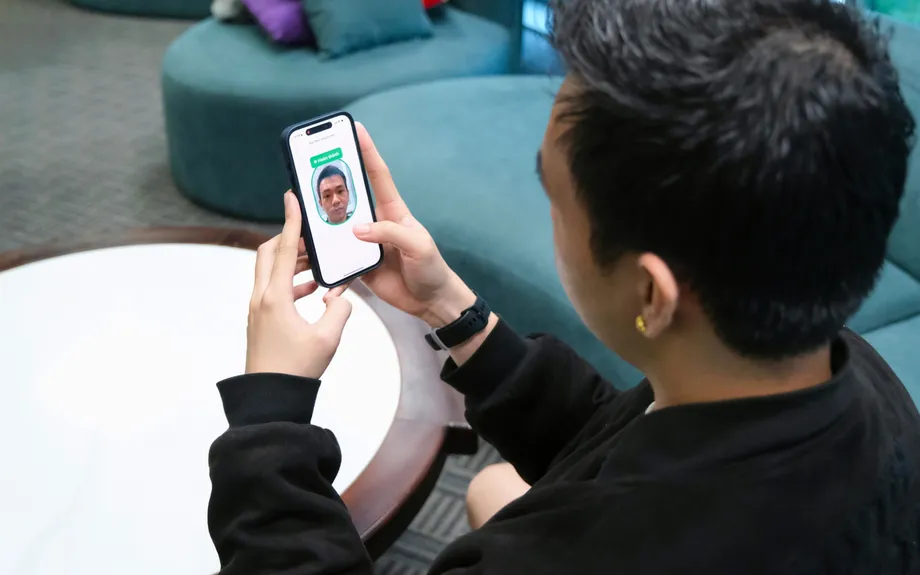
November deadline puts older iPhones at risk of payment disruption
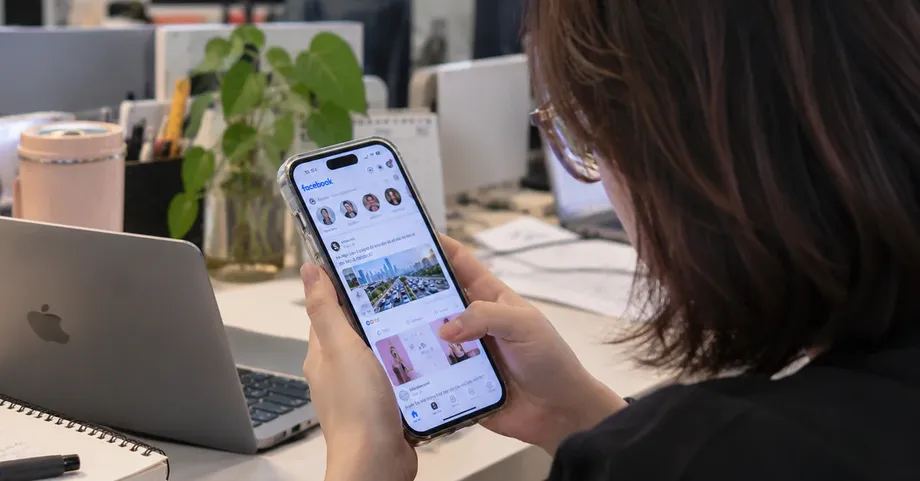
TPBank will stop supporting facial authentication in its TPBank and TPBank Biz apps on iPhones and iPads running software older than iOS 16.7 from 00:00 on November 1, 2026. The change will prevent affected customers from completing transfers above 10 million Vietnamese dong per transaction, or transfers that take their daily total above 20 million dong, because those payments require facial verification.
Contents
- November deadline puts older iPhones at risk of payment disruption
- Which payments will be affected?
- Account access and password changes are also affected
- Which iPhones can meet the requirement?
- The banking rule and the software cutoff have different roles
- Other banks have different minimum versions
- How customers can check their devices
- Older family phones and used purchases need attention
- Key Points
The bank announced the change on October 1, 2026, giving customers a month to update their software or move to a supported device. Five older iPhone models cannot meet the requirement: the iPhone 7, iPhone 7 Plus, iPhone 6s, iPhone 6s Plus and first generation iPhone SE.
Customers with those phones will also face restrictions on other activities requiring facial authentication, including some electronic wallet top ups, large bill payments and account access procedures. Smaller transactions that do not require facial verification will continue to work, and accounts will remain open.
TPBank says the change is intended to strengthen security for online transactions, reduce risks from fraud involving technology and protect customers' assets. Its practical effect is that a phone may still run the banking app while being unable to complete a payment or account change that requires an identity check.
Which payments will be affected?
TPBank identifies several financial activities that may be interrupted when the device cannot perform facial verification. The thresholds cover both individual transactions and totals accumulated during a day:
- Money transfers above 10 million dong in a single transaction, or a daily transfer total above 20 million dong.
- Electronic wallet top ups above 10 million dong per transaction, or a daily total above 20 million dong.
- Bill payments above 100 million dong per transaction or per day.
- Other financial transactions that require facial authentication.
A daily threshold matters even when each individual payment is relatively small. For example, three transfers of 8 million dong would total 24 million dong. Although each transfer is below 10 million dong, the third would take the day's total beyond 20 million dong and require the relevant verification.
The wording of the limits also matters: the stated thresholds apply to amounts above 10 million dong per transfer or above 20 million dong in a day. Customers must still consider any other authentication requirements that apply to their activity.
A customer paying a large bill or moving money into an electronic wallet therefore needs to check more than the transfer function. The same loss of facial authentication can interrupt several ways of moving or spending money within the app.
Account access and password changes are also affected
TPBank's change extends beyond payments. Customers may encounter problems when signing in for the first time, signing in on another device or through a website, recovering or changing a password, or updating a registered phone number or email address, where those actions require facial verification.
Facial authentication is an identity check used by the bank to confirm who is requesting an action. For a payment or account change that requires this check, the app needs to complete it before allowing the customer to proceed. Once support ends on an older operating system, that step becomes unavailable.
A person who normally makes only small transfers could therefore still encounter disruption after forgetting a password or changing phones. The value of a payment is only one reason the bank may ask for facial verification; access to an account and changes to contact details can also trigger the requirement.
Customers should consider those access needs when deciding whether an older phone remains suitable for banking. Continuing to make a small payment on the device does not address the separate need to recover access or update account information later.
Which iPhones can meet the requirement?
Apple lists the iPhone 8 and later models as compatible with iOS 16. The five affected models fall below that hardware boundary, so their owners cannot resolve TPBank's new requirement simply by installing a newer supported version of iOS on the same phone.
The iPhone 8, iPhone 8 Plus and iPhone X can continue to support the relevant transactions if updated to iOS 16.7 or a later release available for those devices. Those models remain on the iOS 16 software branch, making their available update range narrower than that of newer phones.
The iPhone XR, iPhone XS and later models are unaffected by this particular requirement when their software is up to date. A newer model running an old software version still needs attention, because TPBank's cutoff is based on the operating system installed on the device.
TPBank's notice also covers iPads, although no complete list of affected iPad models was given. Owners need to check the software available for their particular tablet. Any future increase in the bank's minimum requirement would need a fresh compatibility check, including for iPhone 8 and iPhone X owners.
The banking rule and the software cutoff have different roles
The State Bank of Vietnam's requirement for facial verification on transfers above 10 million dong per transaction, or above 20 million dong in a day, began on July 1, 2024, under Decision 2345/QD-NHNN. The requirements are now provided for in Circular 50/2024/TT-NHNN, as amended and supplemented by Circular 77/2025/TT-NHNN.
TPBank sets the iOS 16.7 minimum as a technical requirement for its own apps. The national rules determine which transactions need stronger identity checks; the bank's software requirement determines which devices can carry out that check through TPBank and TPBank Biz.
The key dates show how the existing verification obligation and the new device restriction fit together:
- July 1, 2024: Facial verification requirements took effect for transfers above the stated transaction and daily thresholds under Decision 2345/QD-NHNN.
- July 2026: Techcombank began requiring Android 10 or later.
- October 1, 2026: TPBank announced its new operating system requirement.
- Before 00:00 on November 1, 2026: TPBank asked customers to complete the necessary software update.
- From 00:00 on November 1, 2026: TPBank stops supporting facial authentication on affected devices running software below iOS 16.7.
Other banks have different minimum versions
Vietcombank and Techcombank require iOS 15 or later for their apps, while BIDV requires iOS 13 or later. Techcombank's Android requirement has been Android 10 or later since July 2026.
Customers using more than one bank therefore need to check each app separately. A phone may satisfy one bank's minimum operating system requirement while falling short of another bank's requirement for a particular feature.
TPBank's change shows why app installation and access to every service are separate checks. An app can remain installed and usable for some activities while a function such as facial verification requires newer software.
The iPhone 6, iPhone 6 Plus and older models face broader limitations: major banking apps, including those of Vietcombank and Techcombank, can no longer be installed on them. For owners considering a replacement, the ability to install the specific banking apps they use is a basic requirement alongside support for authentication.
How customers can check their devices
On an iPhone, open Settings, select General and then About. The Model Name field identifies the phone, while iOS Version shows the software currently installed. These two details establish both what the device is and whether it already meets TPBank's requirement.
If the version is below iOS 16.7, return to General and select Software Update. A compatible phone may simply need the available update. TPBank recommends completing this before the November 1 deadline to avoid interruptions.
A phone that says its software is up to date while remaining below iOS 16.7 has reached a different situation: it has no newer update available through that process. TPBank recommends switching to another supported device when the current device cannot meet the minimum version.
Moving to another phone also involves signing in on that device, an activity that may itself require facial verification. Customers need a replacement that supports both the banking app and the identity checks needed to use it.
Older family phones and used purchases need attention
Many affected phones are around eight to ten years old and may have been passed on to parents or grandparents. A relative using a familiar phone for occasional payments may miss a software notice, especially when the app still opens and smaller transactions continue to work.
A useful check is to confirm the model and software version on the device itself, rather than relying on how the phone looks or whether it appears to function normally. For the five models unable to reach iOS 16.7, keeping the existing phone means losing access to TPBank activities that require facial authentication after the cutoff.
Buyers considering a used iPhone should pay particular attention to the iPhone 7 and iPhone 6s families because of their limited compatibility with banking apps. Before purchasing, check the model, inspect the installed iOS version, try Software Update, and test installing and signing in to the banking app while still at the shop.
For customers choosing between updating and replacing a device, the immediate question is concrete: can this phone run the required software and complete the banking activities they use? TPBank's November change makes that check necessary before the next large transfer, password recovery or change of contact details.
Key Points
- TPBank's facial authentication cutoff takes effect at 00:00 on November 1, 2026, for devices running software below iOS 16.7.
- The iPhone 7, 7 Plus, 6s, 6s Plus and first generation iPhone SE cannot meet the requirement.
- Transfers above 10 million dong each or above 20 million dong in daily totals require facial verification.
- Large wallet top ups, bill payments and some account access or maintenance activities may also be interrupted.
- Smaller transactions without a facial verification requirement will continue, and accounts will remain open.
- Customers should update compatible devices before the deadline or use another supported device.