
Malicious attachments put phones and computers at risk
Malaysia's communications regulator has warned that suspicious ZIP files, attachments and links sent through WhatsApp can expose personal information, allow unauthorised access and leave users facing account takeovers. A security notice dated 4 November 2026 describes criminals posing as familiar people or trusted organisations to persuade recipients to open files or follow links.
Contents
- Malicious attachments put phones and computers at risk
- How the warnings developed
- Why an invoice can become a route into a computer
- A trusted contact can carry the attack further
- What attackers may steal
- Reduce exposure before an unexpected file arrives
- Protect the WhatsApp account as well as the device
- What to do after opening a suspicious attachment
- Why public awareness and workplace checks matter
- Key Points
The warning concerns an application with an estimated 32.3 million users in Malaysia, according to the original consumer warning. That figure describes the potential audience for attacks; the number of people affected by the current campaign has not been disclosed.
The Malaysian Communications and Multimedia Commission (MCMC), in its 4 November security notice published on the National Security Council website, urges users to verify unexpected files with their senders, check WhatsApp's Linked Devices list and remove connections they do not recognise.
The risk extends beyond smartphones. MyCERT, Malaysia's Computer Emergency Response Team, identified malicious files disguised as invoices, account statements, electronic statements and payment documents that recipients were asked to open or extract on Windows computers. The National Cyber Security Agency (NACSA) also warned about malicious scripts distributed through WhatsApp Web.
For a person receiving what appears to be a bill from a colleague or a document from a relative, the crucial decision comes before opening the attachment. A familiar name and photograph can accompany a message sent through an account already controlled by a criminal.
How the warnings developed
Malaysia's cybersecurity bodies issued several warnings as attention shifted from apparently routine documents to the software hidden inside them. Their advice covers both the attachment itself and the possibility that a compromised account will be used to approach more victims.
- 29 October: MyCERT warned of an active campaign in Malaysia using malicious files disguised as financial and payment documents and distributed through WhatsApp.
- 4 November 2026: MCMC warned about suspicious ZIP archives, attachments and links, and set out steps to protect devices and WhatsApp accounts.
- 5 November: NACSA advised users to disable automatic media downloads in WhatsApp and Telegram, including their desktop versions, and warned about malicious .vbs files on Windows.
- 8 November: Deputy Communications Minister Teo Nie Ching called for stronger digital literacy and described how a malicious attachment could lead to data theft and further distribution through a victim's contacts.
The warnings describe related routes into devices: an unexpected message, an apparently useful document and a request to open something. The software inside may then steal information, give an attacker remote access or help criminals take control of an account.
Why an invoice can become a route into a computer
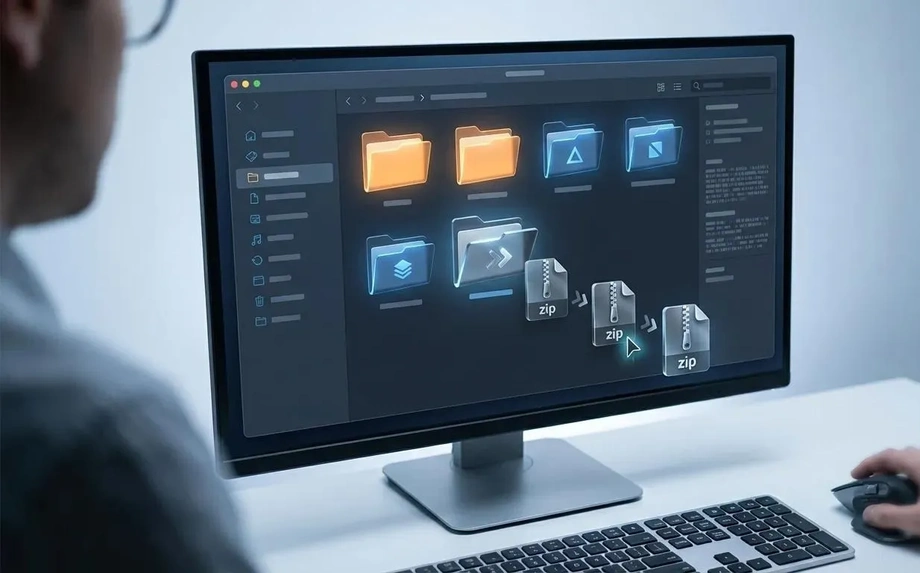
MyCERT's analysis found that programs inside ZIP archives could install malware allowing remote control of Windows computers. A ZIP file is a container that packages other files together, often to make them easier to send. Its contents can include documents, programs or scripts.
NACSA's warning focused on .vbs files presented as financial or legal documents. A .vbs file contains instructions that Windows can run. When malicious instructions execute, attackers may gain control of the computer and access sensitive information stored there.
NACSA also warned against unexpected files ending in .apk, .zip, .iso and .exe. An APK is an installation package for an Android application, an EXE can run a Windows program, and an ISO is a disk image that can contain software. These formats have legitimate uses, so the sender, the purpose of the file and whether it was expected all matter.
The immediate protective step is to leave a suspicious attachment unopened and telephone the supposed sender. Confirming a file through a trusted channel gives the recipient a chance to discover that the person never sent it.
A trusted contact can carry the attack further
Teo Nie Ching, deputy communications minister and member of parliament for Kulai, described a possible sequence in which a malicious ZIP file first exposes computer data and later helps spread the attack through WhatsApp.
For example, malware is now being widely distributed through ZIP files. You may receive such a file from a friend via WhatsApp and be asked to open it on your computer.
Teo said the consequences could develop after the initial file was opened:
Once the file is opened, data on your computer can be stolen, and perhaps two weeks later, your WhatsApp account will be hacked before the same file is sent to all your contacts.
The two weeks in her example describes a possible delay. A victim may continue using the computer and messaging contacts while an attacker collects information or prepares to misuse the account.
Malaysian Cyber Consumer Association president Siraj Jalil also warned that WhatsApp's widespread use and the trust people place in messages from familiar contacts make it attractive to criminals. An attacker who takes over one account gains access to a convincing identity when approaching relatives, colleagues and group members.
MCMC advises people who suspect their account has been compromised to notify contacts immediately. That warning can interrupt the chain by telling recipients to ignore unexpected files or requests coming from the affected account.
What attackers may steal
Dr Shafiza Mohd Shariff, deputy dean for academic and technology matters at Universiti Kuala Lumpur's Malaysian Institute of Information Technology, said malware can record what users type, collect passwords and other login details, access stored information and monitor activity involving financial applications.
Recording keystrokes means capturing letters, numbers and commands as a person types. This can expose credentials even when the user enters them on a genuine website or application. Remote access creates another danger: someone outside the home or workplace may be able to operate the infected device.
Shafiza said attackers may also redirect Transaction Authorisation Code messages to their own phones where services still use that form of verification. A TAC is a code used to approve a transaction. Criminals who obtain both account credentials and an approval code may be able to authorise payments.
Siraj warned that criminals may seek one-time passwords, take over WhatsApp accounts to deceive contacts, or extract phone numbers, documents, photographs and other information for sale. Spyware can also be used to monitor a device and its owner.
The information at risk therefore reaches beyond a single bank account. A phone or computer can hold private family material, workplace records and contact details belonging to other people. Once an account is misused to circulate attachments, those contacts become the next potential targets.
Reduce exposure before an unexpected file arrives
NACSA advised users to switch off automatic media downloads in WhatsApp and Telegram on phones and computers. This gives people more control over what reaches their devices. Users still need to check attachments before choosing to download, extract or run them.
For WhatsApp on Android and iPhone, NACSA directed users to the Storage and Data settings and advised setting automatic downloads to Never where that option is available. For WhatsApp Web and desktop, it pointed to Chats and Media Auto-download settings.
Telegram users were directed to Data and Storage on mobile devices and Advanced settings on the desktop application. Menu wording can vary with the application version and operating system.
MCMC also advises keeping operating systems, applications and security software updated. Shafiza recommended active antivirus protection on mobile devices to detect and quarantine malicious files. Quarantine isolates a suspected file so it cannot operate normally.
Siraj cautioned against installing applications from unofficial sources, particularly pirated APKs promising free access to paid streaming services. He also advised reviewing application permissions and allowing access only to information needed for an application's functions. An application asking for access to messages, contacts or files deserves careful scrutiny when those permissions do not match its purpose.
Protect the WhatsApp account as well as the device
MCMC recommends enabling WhatsApp's two-step verification and keeping verification codes, security PINs and passwords private. Two-step verification adds a PIN to the process of registering the account, creating another barrier for someone trying to take it over.
Siraj advised adding an email address for account recovery. He also pointed to passkeys, biometric authentication and authentication applications as additional protections where supported. A passkey uses a device's security system to authenticate a person, while biometric checks use characteristics such as a fingerprint or face.
WhatsApp's Linked Devices list deserves regular attention because it shows other devices connected to an account. MCMC advises removing any unfamiliar entry. A person checking only the phone in their hand could otherwise overlook access through a connected computer.
Account protection and device protection address different parts of the threat. A verification PIN helps protect account registration, while updates, cautious file handling and malware checks protect the phone or computer being used. Users need both because criminals may target either route.
Siraj also advised avoiding unfamiliar Wi-Fi networks and unsecured connections. For the attachment campaign described by MyCERT and NACSA, the most direct precautions remain verifying the sender and refusing to run an unexpected file.
What to do after opening a suspicious attachment
MCMC says anyone who has run a suspicious file and suspects a device is affected should disconnect it from the internet, run a security scan and change related passwords using another trusted device. NACSA gives similar advice and recommends seeking technical assistance.
Changing passwords from a separate, secure phone or computer matters because malware on the affected device may capture newly entered credentials. Disconnecting the device also interrupts its network connection while the user seeks help and assesses the damage.
Siraj listed warning signs including unusually rapid battery drain, overheating, malfunctioning features, trouble receiving SMS messages and repeated failure to receive requested one-time passwords. Those symptoms warrant investigation, especially after an unexpected application installation or attachment has been opened.
Anyone who suspects bank account compromise or has lost money to a scam should contact Malaysia's National Scam Response Centre at 997 immediately and notify the relevant bank. A notification for a transaction the customer did not make calls for immediate contact with the bank to block the card and online banking access.
Personal data breaches can be reported to the Personal Data Protection Department. Siraj also advised securing affected accounts and considering a factory reset, which restores a phone to its original settings and removes locally stored applications and data. Technical help can guide recovery when the extent of the compromise is uncertain.
Why public awareness and workplace checks matter
Teo said the government and MCMC cannot screen every WhatsApp message before it is sent. Her warning places everyday decisions, including whether to trust a document and whether to verify a request, at the centre of prevention.
She said online scam complaint statistics showed that e-commerce scams generated the most complaints, while investment scams caused the greatest financial losses. The comparison points to two different pressures: the volume of people reporting problems and the amount of money victims lose.
Companies and organisations also have a role because the malicious documents described by MyCERT resemble routine financial correspondence. A payment file opened on a workplace computer may expose business information as well as the employee's own accounts.
Teo urged organisations to conduct regular cybersecurity audits, particularly when upgrading systems or adopting new technologies. She identified NACSA as responsible for national cybersecurity matters, with MCMC able to provide assistance and technical support. For users, the practical priority is immediate: verify unexpected documents, protect connected devices and act quickly when money or account access is at risk.
Key Points
- MCMC's 4 November 2026 warning covers suspicious WhatsApp ZIP files, attachments and links that can expose data and enable account takeovers.
- MyCERT identified malicious financial and payment documents targeting Windows computers, while NACSA warned about .vbs scripts distributed through WhatsApp Web.
- Verify unexpected files by calling the sender, disable automatic downloads and keep devices and security software updated.
- Enable two-step verification, keep verification codes private and remove unfamiliar entries from WhatsApp's Linked Devices list.
- If a suspicious file has run, disconnect the device and change passwords from another trusted device. Contact the bank and call 997 immediately if banking access or money is at risk.