

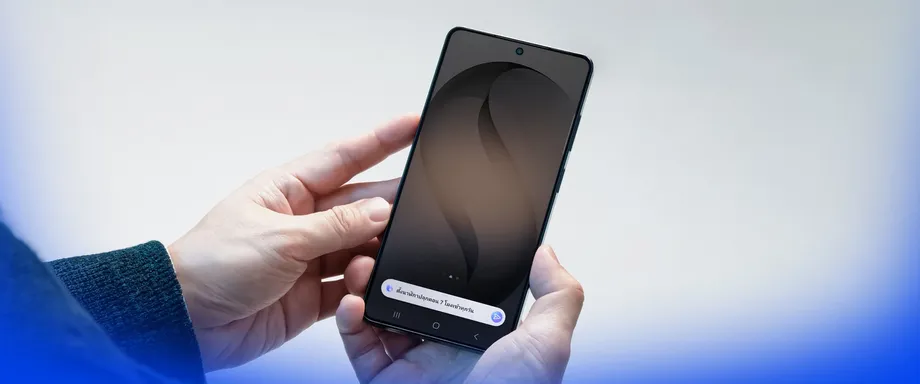
Thai voice control arrives with a wider language expansion
Samsung has added Thai, Polish and Vietnamese to Bixby, bringing its voice assistant to 12 languages, with the rollout beginning on October 14, 2026. The company is also expanding several Galaxy AI tools to 24 languages, although those updates are scheduled to follow over the coming weeks.
Contents
For Galaxy users in Thailand, the immediate change is the ability to ask Bixby to control their device in everyday Thai. Samsung says users can describe what they want without remembering a setting's exact name or searching through menus. Hungarian and Malay are being added separately to tools for translating calls, interpreting conversations, transcribing speech and summarizing notes.
Samsung's global language announcement sets out three expansions: Bixby gains three languages, the main translation and text tools gain two, and Now Nudge gains eight. Now Nudge, which suggests a next action based on what appears on the screen, also reaches 24 supported languages.
The practical benefit depends on the task. Thai speakers gain another way to operate their phones by voice, while people communicating across languages gain more options for calls, conversations and written information. Thai was already included in Galaxy AI's language list; its addition to Bixby extends support to a different part of the Galaxy experience.
Samsung requires users to sign in to a Samsung Account and have an internet connection to use Bixby. The company also says functions and release schedules vary by country, region, language and device, so access will arrive in stages.
What Bixby can do in everyday Thai
Bixby is Samsung's device assistant. Its central job is to turn a spoken request into an action on a phone, reducing the need to find the right control manually. Natural conversation means asking in ordinary language rather than memorizing a fixed command.
Examples described for the updated assistant include switching dark mode or Eye Comfort Shield on and off, setting alarms and timers, adding calendar appointments, opening an app and requesting photo edits. For a Thai speaker, the change is being able to make those requests in a familiar language.
The updated Bixby has also been described as supporting web searches for places and general information, calculations and unit conversions. Users can revisit conversations in the Bixby app and type requests there. These functions extend the assistant beyond changing settings, although Samsung says the available features depend on the language and location.
Other described access options include assigning Bixby to the phone's side button and using a gesture activation feature that allows a user to speak within five centimetres of the microphone. Those options give users different ways to start a request, subject to the functions available on their device.
Which phones receive Thai first?
The first devices identified for Thai Bixby support are the Galaxy S26 series, Galaxy Z Flip 8, Galaxy Z Fold 8 and Galaxy Z Fold 8 Ultra. The stated software requirements are One UI 9, based on Android 17, and Bixby version 4.1.21.2 or later, updated through the Galaxy Store.
A user post dated October 14, 2026, at 5:12 PM reports that Thai is available in Bixby Voice version 4.1.21.2, with initial support limited to selected devices. The visible portion of its device list names the Galaxy S26 series and Galaxy Z Flip models, but is truncated before the full list can be read. This does not provide official confirmation of the complete model list or the One UI 9 requirement.
Samsung's official language announcements give a broader warning that schedules and features vary by device and country, without setting out that model list or those software version requirements. Owners should check the software and language options offered on their own phones. No firm date has been given for Thai Bixby to reach other Galaxy models.
Existing Bixby availability on an older phone and access to the new Thai voice option are separate stages of support. A user may already have the assistant installed while still waiting for the update that adds Thai to its language menu.
How to select Thai in Bixby
Samsung's Bixby language guide gives a direct route through the phone's settings. Open Settings, select Advanced features, tap Bixby, then choose Language and voice style. Open Language and select the language you want.
Users looking for Thai can first check for the latest software offered to their phone and update Bixby through the Galaxy Store. Once Thai appears in the language menu, it can be selected there. Samsung says the interface may look different depending on the device model.
Samsung's Thai language announcement also confirms the account and internet requirements. Those conditions matter when setting up the assistant: selecting a language is one step, while signing in and connecting the phone are also necessary to use the service.
Galaxy AI adds Hungarian and Malay
Call Assist, Note Assist, Interpreter and Transcript Assist are gaining Hungarian and Malay. Samsung says the expansion brings features such as Live Translate to 24 languages. Each tool handles a different part of communication, from a phone conversation to a recording or a page of notes.
Call Assist supports communication during calls, including live translation. Interpreter helps people speaking different languages communicate in person. Transcript Assist turns recorded speech into text, while Note Assist helps users work with notes, including producing summaries. Transcription writes down what was said; translation changes it into another language.
Hungarian and Malay take the stated language total from 22 to 24. For people who use either language, the expansion creates more opportunities to use these tools. People speaking languages already supported can also benefit when communicating with someone using one of the new additions.
Samsung introduced Galaxy AI in 2024. This update extends the language reach of existing tools rather than giving every function an identical release schedule. Some of the new languages will be available as downloadable language packs in Settings, allowing users to add the language resources needed for supported features.
Now Nudge gains eight languages
Now Nudge is adding Dutch, Filipino, Gujarati, Hungarian, Malay, Romanian, Swedish and Turkish. The feature, introduced with the Galaxy S26 series, examines what is displayed on the screen and suggests a possible next action.
Its expansion is larger than the other two changes in this announcement. Eight additions take Now Nudge from 16 languages to 24, an increase of 50%. Bixby's three additions take it from nine to 12, an increase of about 33%, while the translation and text tools rise from 22 to 24, about 9%.
The different starting points explain why two products can both reach 24 languages while receiving very different updates. For users, the relevant check is the language supported by the particular feature they want to use, along with whether that update has reached their device.
Which languages are included?
Samsung lists Galaxy AI's 24 languages as Arabic, Chinese, Dutch, English, Filipino, French, German, Gujarati, Hindi, Hungarian, Indonesian, Italian, Japanese, Korean, Malay, Polish, Portuguese, Romanian, Russian, Spanish, Swedish, Thai, Turkish and Vietnamese.
The list includes regional versions within some languages. Chinese covers mainland China, Hong Kong and Taiwan; English covers Australia, India, the United Kingdom and the United States. French includes Canada and France, Portuguese includes Brazil and Europe, and Spanish includes Mexico, Spain and the United States. Samsung counts these regional versions within their respective languages.
Bixby's 12 languages are Chinese, English, French, German, Italian, Japanese, Korean, Polish, Portuguese, Spanish, Thai and Vietnamese. Its regional coverage includes mainland Chinese; English for India, the United Kingdom and the United States; Brazilian Portuguese; and Spanish for Latin America and Spain.
Thai and Vietnamese now appear in both the Bixby and Galaxy AI lists. Malay and Indonesian are included in Galaxy AI's 24 languages, while the announced Bixby list contains neither. A user choosing between voice control and translation therefore needs to check the relevant list.
Rollout dates and limits to keep in mind
Samsung gives an exact starting date for Bixby's new languages and a broader release window for Galaxy AI. The sequence is:
- 2024: Samsung introduces Galaxy AI.
- October 14, 2026: Bixby begins adding Thai, Polish and Vietnamese.
- The following weeks: New Galaxy AI language support is scheduled to arrive, with timing varying by device and country.
Samsung warns that Bixby may have difficulty recognizing some accents, dialects and expressions. Results can also vary with pronunciation, speaking volume and the surrounding environment. Everyday language support still depends on the assistant hearing and understanding the request.
Bixby use may be limited during calls or while recording video, games or audio. Samsung also lists Maximum Power Saving mode, Emergency mode and Samsung Kids among the situations where restrictions may apply. These conditions affect when voice control is available, even after a supported language has been selected.
For Thai Galaxy owners, the most immediate step is to check the Bixby language menu after updating eligible devices. For people waiting for Hungarian, Malay or the new Now Nudge languages, Samsung's schedule points to a staged release over the weeks after October 14.
Key Points
- Bixby began rolling out Thai, Polish and Vietnamese on October 14, 2026, bringing its total to 12 languages.
- The first devices identified for Thai support include the Galaxy S26 series, Galaxy Z Flip 8, Galaxy Z Fold 8 and Galaxy Z Fold 8 Ultra.
- Hungarian and Malay expand key Galaxy AI translation, transcription and note tools to 24 languages.
- Now Nudge adds eight languages, also reaching 24.
- Bixby requires a Samsung Account and an internet connection, with availability varying by device, country and language.
- New Galaxy AI language support follows over the coming weeks, with some languages downloadable through Settings.