
Open Source App Turns Any Call Into a Bilingual Meeting
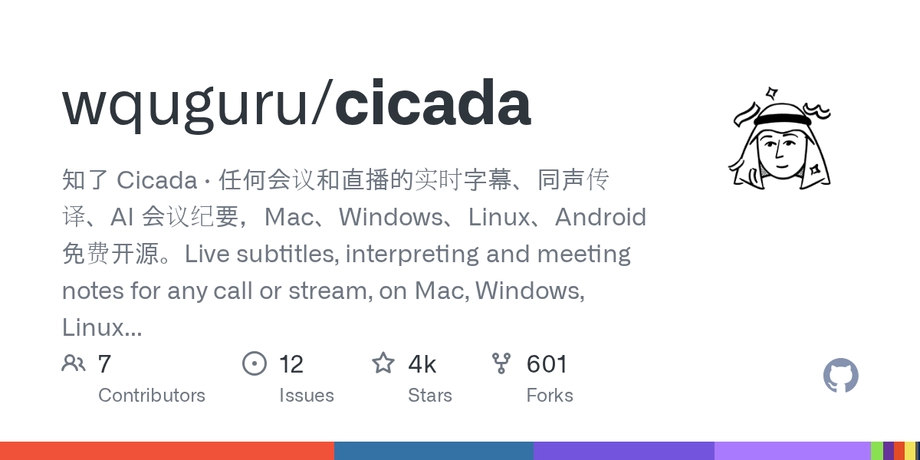
A new open source tool called Cicada is making foreign language meetings accessible to anyone with a laptop or smartphone. The app, developed by wquguru and released on GitHub under the Apache 2.0 license, listens to the audio playing on a computer screen and generates real time bilingual subtitles. It goes further by translating the user spoken words into the other participant language and playing the translated audio directly into the meeting.
Contents
Unlike other solutions that require a participant to join as a separate account or install a complex plugin, Cicada reads the computer system audio directly. To the meeting platform, the user appears to simply be speaking in their native language. The app supports Zoom, Google Meet, Teams, Discord, and even live streams from YouTube and Twitch.
The core of Cicada is its ability to handle three tasks simultaneously. It provides live subtitles for what the computer is playing, captures live notes such as summaries and conclusions as the meeting progresses, and offers simultaneous interpreting for when the user needs to speak back. This combination allows a person to watch a Japanese livestream with English subtitles while speaking English and having their response translated into Japanese for the broadcaster.
The repository was created on November 1 2026 and quickly gained traction, reaching over two thousand stars on GitHub in its first week. The developer has released versions at a rapid pace, with version 1.10.1 published on November 14, indicating a fast moving and responsive project. The app works on Mac, Windows, Linux, and Android, though the features vary slightly by platform.
One of the most significant advantages of Cicada is its privacy posture and flexibility regarding AI services. It does not collect user data and has no private servers of its own. Users can run the app entirely locally on their device or connect to cloud services. This means sensitive meeting content does not have to leave the computer unless the user chooses to send it out for translation.
How the Technology Works Behind the Scenes
Cicada uses a virtual microphone to handle the two way flow of audio. When a user speaks, the app captures the voice, translates it, and plays the translated audio back through this virtual microphone. The meeting software hears this translated audio as if it came from the user's physical microphone.
The mechanism for creating this virtual audio path differs slightly by operating system. On Mac, the app uses a driver called BlackHole 2ch to replace the system microphone. Users need to enter their administrator password once to install it. On Windows, the app installs VB Cable, a free tool that performs a similar function. Linux requires no extra driver installation; the app creates a virtual microphone directly in the sound server.
For Mac users with Apple Silicon chips, the app takes advantage of local hardware. Speech recognition happens on the device using Apple built in models, meaning the raw audio never leaves the Mac. Only the recognized text is sent to the cloud for translation. This makes the Mac version highly private and fast. Users can get subtitles, translation, and basic interpreting for free without entering any API keys.
Windows, Linux, and Android versions rely on an AI service for recognition. The app sends short segments of audio to the chosen service. The default service recommended by the developers is Ling, a model service from Ant Group. However, users can also connect to OpenAI, OpenRouter, or local models like Ollama. A key feature for local users is that LAN addresses for AI services require no API key, allowing users to run everything on their own network.
Platform Specific Features and Requirements
The Mac build offers the most comprehensive feature set. Users on macOS 14.4 or later can enjoy on device voice recognition. The app includes a fishbone diagram feature that automatically maps cause and effect relationships in the meeting notes. Users can also clone their own voice in just eight to thirty seconds of recording to use as their interpreting voice.
Windows users on version 10 or later with x64 or ARM64 processors have a robust experience. They need to install the VB Cable driver to use interpreting features. The app handles audio segmentation carefully to ensure that translated speech is played back at the right time without overlapping the incoming audio too much.
Linux users running Ubuntu 22.04 or 24.04 can run the app with zero cloud keys if they have local models set up. The app creates its own virtual microphone within the PulseAudio or PipeWire sound server. The meeting notes window is visible during screen shares, which is a helpful detail for users who need to share their screen with colleagues while still reading their private notes.
Android users get subtitles for videos and streams, along with face to face interpreting. Because mobile devices often block apps from recording call audio directly, the app recommends using the speaker mode for calls. The app is available for side loading as an APK, though it is not yet listed in the Google Play store.
Pricing and Privacy Considerations
A common concern with AI tools is the cost of processing audio. The developers have made the pricing structure transparent. The official estimate for using the Ling service is about 0.15 to one RMB per hour of meetings. Ling provides ten RMB of free credit every month, which is enough for roughly ten to fifty hours of use depending on the models selected.
For users who prefer not to pay, the Mac Apple Silicon version works well without any key. Windows, Linux, and Android users can connect to free local models or use OpenRouter and ZenMux to aggregate free API access. The app also supports voice cloning with a Ling key, allowing users to have their own voice generate the translated audio.
Privacy is a strong suit for Cicada. The app does not store recordings on its servers. All bilingual transcripts, meeting notes, and raw audio recordings are saved locally on the user device. Users can click any line in the transcript to play back the audio from that specific point in time.
The Mac version handles privacy particularly well by default. The meeting notes window does not appear on screen share or recording screens, so meeting participants cannot see what the user is reading. Users can also set up a glossary of up to three hundred common names and product terms. The app will automatically correct misheard words in the live subtitles if they match the written forms in this glossary.
Real World Testing and Accuracy
Testing of the Linux build by software engineers has shown that the plumbing of the app works reliably. A test using local models on a Linux machine with zero cloud keys proved that the app can function fully offline. The virtual microphone correctly recorded translated speech and fed it into the meeting.
Accuracy depends largely on the model plugged into the app. In tests using local models like Whisper and Qwen2.5, the app showed a median round trip time of 4.2 seconds per segment. This latency is acceptable for live meetings, though users should be aware that long pauses can cause the app to split sentences incorrectly.
One nuance that testers noted is the handling of pauses. If a user speaks quickly, the app might cut a sentence in the middle of a phrase. For example, a sentence about a load test might be split into two fragments. The first part might be translated as I will review it, and the second as results of the test on Tuesday. This can sometimes change the meaning slightly, making a statement of intent sound like an instruction.
Despite these minor segmentation issues, the app performs well for understanding content. Users can easily correct misheard words after the meeting. The app allows users to batch fix the same misheard word across the whole session with full undo support. This makes Cicada a practical tool for business meetings where precision matters but perfect real time accuracy is not strictly required.
Future Developments and Roadmap
The developer has an active roadmap for the app. A notable upcoming feature is Apple Notarization for the Mac version. Currently, Mac users may need to manually allow the app in System Settings the first time they open it. The next version 1.11.0 will release a notarized version to make the installation smoother.
iPhone and iPad support is listed as coming soon. This will likely bring the full feature set to Apple mobile devices, further expanding the app's utility for users who rely on their phones for communication.
The app is also working on capturing what the user says directly in the meeting, not just what they say while holding the talk key. This will make the distinction between computer audio and room audio even clearer in the final notes.
Users can export their meeting records as Markdown, Word, or SRT subtitle files. The app also integrates with note taking apps like Obsidian by automatically saving meeting notes to a chosen folder. This makes it easy to build a searchable database of past meetings and livestreams.
Cicada represents a significant step forward in breaking down language barriers in digital communication. By listening to system audio rather than connecting to the meeting as a bot, it provides a seamless experience. With its open source nature, flexible AI connections, and growing platform support, the app is well positioned to become a standard tool for global business and learning.
- Cicada is a free open source app that provides real time bilingual subtitles and simultaneous interpreting for online meetings.
- The app works on Mac, Windows, Linux, and Android, listening to system audio rather than joining the meeting as a separate participant.
- Apple Silicon Macs can use the app for free without API keys due to on device speech recognition.
- Users can connect to AI services like Ling, OpenAI, or local models like Ollama for translation and note taking.
- The app includes a virtual microphone to play translated speech back into the meeting and captures live meeting notes.
- Privacy is prioritized with all recordings stored locally and no data collected by the app.
- The app is developed by wquguru and has seen rapid development with over two thousand stars on GitHub.
- Future updates will include iPhone support and improved Apple Notarization for Mac users.