
Korean support brings Siri closer to everyday apps
Apple plans to add Korean to Siri AI in October 2026, extending an assistant designed to search personal messages, understand what is on a screen and carry out tasks across apps. Naver and Kakao are reportedly participating in integration work, potentially connecting the new assistant with services central to everyday life in South Korea.
Contents
- Korean support brings Siri closer to everyday apps
- What the rollout schedule says
- How one request moves between messages, the web and Notes
- Naver and Kakao could determine local usefulness
- Work drafts still leave decisions with the user
- What Siri can see on a screen or through a camera
- Conversations can follow users between devices
- How Apple says personal information is handled
- Compatible hardware, regional limits and future charges
- Key Points
The English beta began rolling out on September 14. Apple's Siri AI announcement scheduled Korean, French, Japanese, Portuguese and Spanish for October. Information from a Korean demonstration on October 21 pointed to the following week, with October 26 considered likely, although Apple had not specified an exact release date and software update schedules could affect availability.
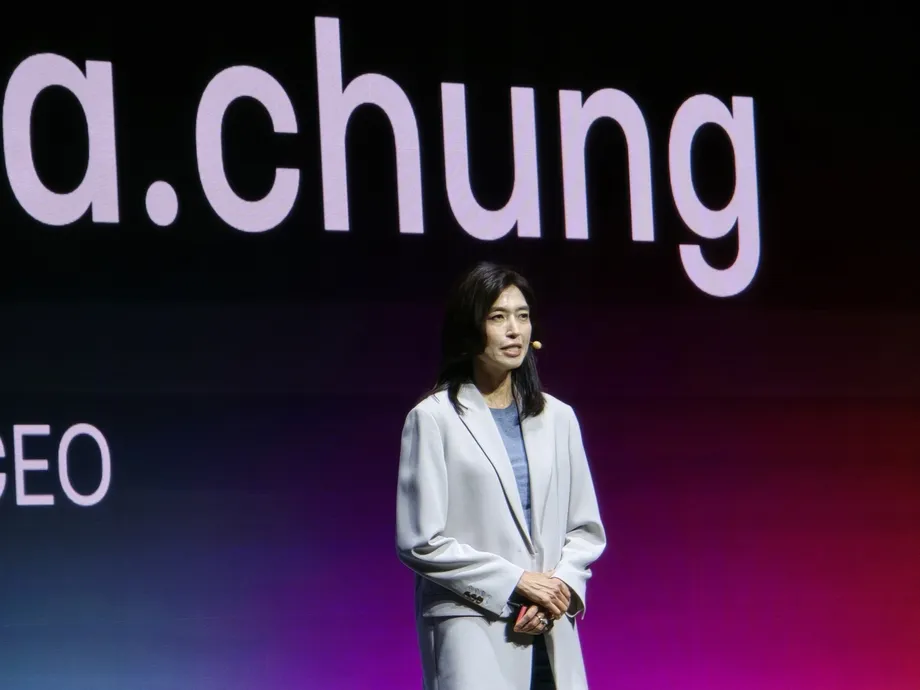
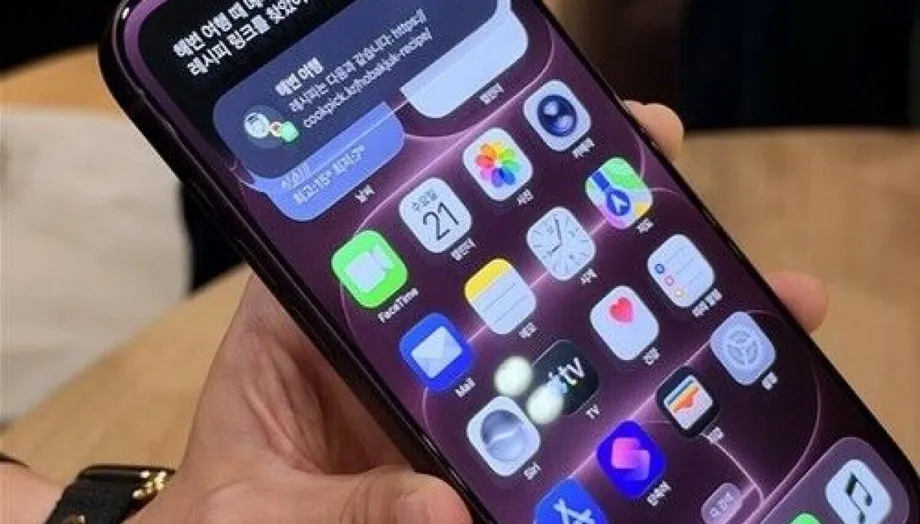
The Korean demonstration used beta software. It showed Siri finding a pumpkin porridge recipe in an old group conversation, opening the link and sorting ingredients into supermarket categories in Notes. Another example turned meeting notes into an email draft containing action items, leaving the user to review and send it.
For Korean customers, the central change is the ability to connect several steps in one conversation. A request can begin with information buried in a message, continue with a search of the web and end with a note, draft or calendar entry.
Apple describes the technology as a new generation of Apple Foundation Models developed in collaboration with Google and its Gemini models. The company says those models operate within Apple's privacy architecture, using both processing on the device and its Private Cloud Compute servers.
What the rollout schedule says
Apple's September announcement set out a staged language expansion rather than a simultaneous worldwide launch. Korean joins five languages being added after the initial English release, bringing the announced Siri AI language lineup to six.
The main dates are:
- September 14, 2026: Siri AI began rolling out in beta in English.
- October 2026: Apple scheduled support for French, Japanese, Korean, Portuguese and Spanish.
- October 21, 2026: A Korean beta demonstration showed personal searches, app actions and visual recognition.
- October 26, 2026: The likely Korean release date described around the demonstration, subject to the software update schedule.
Apple lists Korean among the languages supported by the wider Apple Intelligence platform. Siri AI has its own rollout schedule within that platform, so customers need to check availability for the new assistant as well as their device and language settings.
How one request moves between messages, the web and Notes
The pumpkin porridge demonstration began with information the user had encountered before, rather than a general request for a recipe. Siri searched an old group conversation for the shared link, then opened the recipe page.
A follow up request asked it to arrange the ingredients by supermarket section and put them in Notes. That connected three different jobs: finding the original message, reading the recipe and turning its contents into an organised shopping list.
Apple's own example follows a similar pattern. Siri finds a relative's suggestion in Messages, retrieves cooking instructions from an earlier email and adds ingredients to a grocery list in Reminders. The Korean demonstration used Notes, while Apple's published example used Reminders, showing different destinations for a related task.
A second Korean demonstration began with a request for the name of a forest trail recommended by an acquaintance. Siri located the place in saved messages. When asked how long the trail was, it searched the web for the answer without requiring the user to repeat the trail's name.
Personal context means the assistant uses relevant information from the user's own messages, emails, photos or other supported content to understand a request. Conversation context lets it carry the subject of one question into the next. Together, those functions reduce the need to repeatedly explain what the user is looking for.
Naver and Kakao could determine local usefulness
Naver and Kakao are reportedly involved in work to optimise Siri AI for domestic services. Their participation matters because an assistant can save more effort when it connects with the apps where people already keep their conversations, plans and work.
The companies' exact supported services, available actions and integration launch dates have not been detailed. The immediate practical issue is which functions their apps will expose to Siri, such as searching relevant content or completing a requested action.
Apple's September announcement distinguishes between existing and forthcoming connections. It says Siri already works with WhatsApp for messaging and Audible for playing books. It names drafting email in Microsoft Outlook, searching for assignments in Notability and adding restaurant recommendations to Tripsy as upcoming uses.
The Korean demonstration also presented Outlook and the productivity app Craft as integration examples. Siri retrieved travel information stored in Craft as personal context. These examples show why language support and app support are separate parts of the launch: Korean conversation makes the assistant accessible, while app connections determine what it can find and do.
Work drafts still leave decisions with the user
Meeting notes provided another example of a task that crossed app boundaries. In the Korean demonstration, Siri summarised existing notes and prepared an email draft containing the actions that needed to follow. The draft then moved into the mail app for the user to inspect and send.
That workflow puts the assistant in charge of preparing material while keeping the final communication with the user. The Korean account also described confirmation before actions were executed, giving people a chance to check whether Siri had understood the request.
Apple says Siri's integrated Writing Tools can create a draft from a description and revise it when the user explains a desired change. In Mail and Messages, the system can also reflect the punctuation and tone a user typically employs with a particular recipient.
For someone working across notes and email, the benefit is concrete: less copying, switching apps and rewriting the same information. Reviewing a proposed message remains part of the demonstrated process, especially when meeting notes must become instructions for other people.
What Siri can see on a screen or through a camera
Visual Intelligence lets Siri answer questions about images and turn visible information into actions. In Apple's example, someone points an iPhone camera at a music festival poster, asks for favourite artists' performance times and creates several calendar events for the weekend.
The Korean demonstration similarly used printed event information to propose calendar entries with dates and times. A person could move from looking at a poster to preparing a schedule without manually copying each detail.
Screen recognition in the demonstration was based on the area currently visible to the user. When asked about recipe content that required scrolling further down, the explanation was that recognition used what appeared on the screen. A user working with a long page would therefore need to bring the relevant content into view.
Apple places the controls differently across devices. The iPhone Camera app has a Siri mode; iPad integrates Visual Intelligence into the screenshot experience. On Mac, a keyboard shortcut lets users select something on the display and type a question. Apple Vision Pro extends visual questions to app windows and physical objects around the wearer.
Conversations can follow users between devices
A dedicated Siri app stores conversations so users can reopen an earlier exchange and continue it. The Korean demonstration also described switching from a spoken conversation to typed input, useful when someone moves from a private setting into a shared space.
Apple says conversation history syncs through iCloud across iPhone, Mac, iPad, Apple Watch and Apple Vision Pro. Users signed into the same Apple account can begin on one product and pick up the discussion on another.
The demonstration described reopening conversations months later if the user had not deleted them. That history gives a continuing task a place to resume, rather than requiring every request to begin again.
Access also varies by device. On iPhone, users can invoke Siri with their voice, the side button or a gesture from the Dynamic Island. On iPad and Mac, the assistant is integrated into Spotlight, Apple's search interface, and system context menus for text, images and files.
How Apple says personal information is handled
Apple says the underlying models run both on devices and on servers through Private Cloud Compute, or PCC. In simple terms, a device handles some requests itself and sends more demanding work to Apple's protected server system.
At the Korean demonstration, setting reminders, sending messages and finding particular saved messages were described as tasks processed on the device. Retrieving web information and requests requiring more computing power could involve server processing.
Apple's published privacy description says personal data handled by PCC is not stored or made accessible to Apple or anyone else. The company also says outside experts can verify its privacy protections. Around the Korean rollout, Apple described processing data as deleted immediately after an answer, with the processing session ending when the work was complete.
Conversation history serves a different purpose: it remains in the Siri app and syncs through iCloud so users can return to it. Temporary data used to process a server request and a conversation deliberately retained for later access therefore have different lifetimes.
Apple's official description names custom Apple Foundation Models developed with Google and Gemini. The Korean demonstration included an assurance that user information was not shared with Google, while the precise division of work between individual models for each request was left unspecified.
Compatible hardware, regional limits and future charges
Apple lists iPhone 16 models and later, along with iPhone 15 Pro and iPhone 15 Pro Max, among compatible phones. Supported tablets include iPad mini with A17 Pro and iPads with M1 or later. Its list also includes Macs with M1 or later, MacBook Neo with A18 Pro and Apple Vision Pro.
Supported watches include Apple Watch Series 9 or later, Ultra 2 or later and SE 3, with a compatible Apple Intelligence iPhone nearby. Apple places the new capabilities within iOS 27, iPadOS 27, macOS 27, watchOS 27 and visionOS 27, with feature availability varying by language and region.
Apple says Siri AI is initially unavailable in the European Union on iOS, iPadOS and watchOS. Its September announcement also excludes Siri AI and the other new Apple Intelligence features from China while regulatory requirements are addressed. A subsequent planned mainland China rollout described a narrower Apple Intelligence package expected in December, still without the rebuilt Siri AI assistant.
Daily usage limits apply to some features that use server models, including Siri AI. Apple says limits can vary with the feature, request complexity, demand and system policies. Expanded access will be available for a fee in the future, although the announcement gives no price or starting date.
Key Points
- Korean Siri AI support is planned for October 2026, following the English beta rollout on September 14.
- October 26 was described as a likely release date, subject to the software update schedule.
- Naver and Kakao are reportedly involved in integration work, with specific services and actions still to be detailed.
- Korean demonstrations connected message searches, web information, Notes, email drafts and calendar suggestions.
- Screen recognition used the content currently visible to the user.
- Apple says PCC processing does not retain personal data, while conversation history remains available through the Siri app and iCloud.
- Access depends on compatible hardware, software, language and region, and some server features have daily limits.