
A compromised phone before its first startup
Thousands of Android devices across more than 150 countries have been affected by Midnight Mimosa, a malware campaign that puts malicious software inside phone firmware before buyers switch their devices on. Bitdefender identified at least 32 disguised apps deployed by the operation, plus 13 Google Play apps containing the same advertising fraud code and communicating with its control infrastructure.
Contents
- A compromised phone before its first startup
- The hidden component that controls installations
- How remote code changes what the phone does
- Ordinary app disguises turn fake clicks into revenue
- Google Play is both an evasion target and a distribution route
- Proxy enrollment was observed, active forwarding was not
- Which devices and countries appeared in the findings?
- Firmware certificates do not establish responsibility
- Owner reports show why deleting apps is insufficient
- Key Points
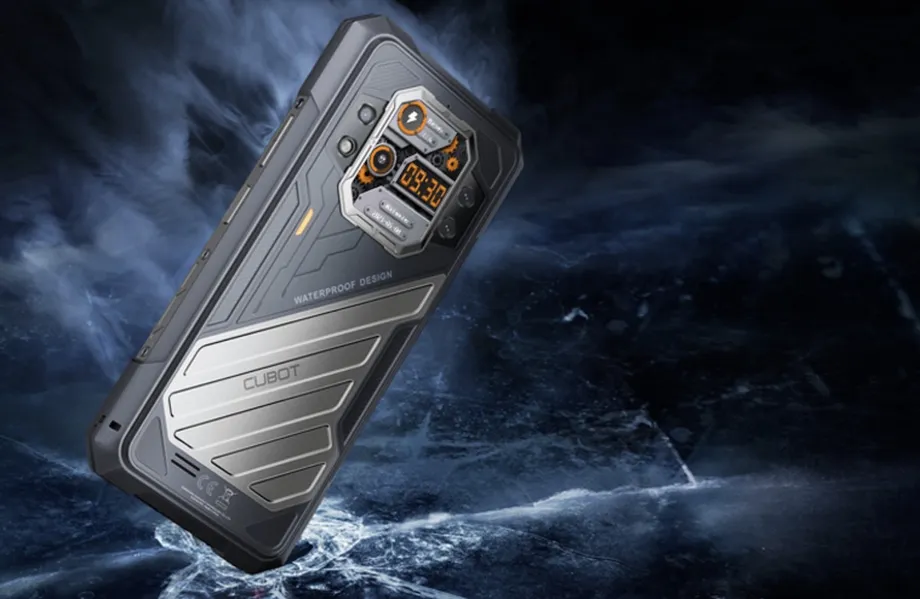
The findings, published on October 8, 2026, and updated on October 9, describe an operation observed over roughly two years. Affected devices include inexpensive phones using MediaTek platforms, counterfeit products borrowing Apple and Samsung model names, and devices identifying themselves as the Doogee S200 X and Cubot KINGKONG X.
The central finding in Bitdefender's technical report is that the infection does not depend on a buyer downloading a suspicious app. A malicious system component arrives with the device, holds powerful operating system permissions and can install additional software without asking the owner.
That position makes the threat unusually difficult to remove. Deleting an unwanted weather app or app locker may eliminate one visible part of the operation while leaving the component that installed it untouched. Researchers found payloads repeatedly appearing and disappearing on the same devices.
There are also limits to what the investigation established. It did not identify who inserted the malware into the firmware. Researchers found code capable of forwarding traffic through infected phones, but their test device received no forwarding assignments. Sensitive permissions were available to the operators, although researchers did not observe their use during the analysis.
The hidden component that controls installations
The investigation began when Bitdefender's behavioral detection technology flagged com.android.system.lite. Its name and generic System label suggested an ordinary Android component, but its actions were different: it silently installed and removed unrelated applications and repeatedly enabled sensitive access.
The component had no visible launcher icon. It was signed for the Android platform, ran as the system user and was configured to persist. Its permissions included installing packages, deleting packages, granting permissions to other apps and changing secure settings. These are powers far beyond those normally available to an application downloaded by a phone owner.
Researchers subsequently found the same malicious core under other names, including com.android.sys.prot, com.android.sys.gmsprot and com.android.sys.bcprot. Another package reported by phone owners, com.android.non.szcz, was identified as part of the same family. Different builds used different names and, in some cases, different signing certificates.
This matters for detection and cleanup: one package name does not define the entire threat. A phone without com.android.system.lite could still contain another version of the same machinery. The shared behavior and underlying code are more useful identifiers than the label shown in Android's application list.
How remote code changes what the phone does
Much of the malicious logic was hidden in a native library called libeasy.so rather than exposed in the system application's ordinary code. At initialization, the library used RC4 encryption to conceal and then recover an embedded framework of approximately 142 KB.
That framework fetched configuration from a command and control server, meaning a remote service through which operators direct infected devices. It could download and load DEX and JAR files, formats used to package executable Android and Java code. This allowed the operators to change the device's behavior after it had been sold.
Researchers identified three plugin families. One, associated with com.wz.sdk.DxFactory, handled fabricated advertising impressions and clicks. The others, associated with com.earnsdk.lib.DxFactory and com.gogo.third.lib.DxFactory, supported silent installation and removal of other apps, with the latter also including WebView functionality.
The system component therefore served as a persistent controller rather than a single, fixed piece of advertising malware. Removing today's payload would not stop it from fetching another tomorrow. The combination of remote code loading and privileged permission grants also meant that its potential activity was broader than the behavior captured during the investigation.
Ordinary app disguises turn fake clicks into revenue
The operation's apparent main purpose was to earn money. Researchers found at least 32 distinct payload apps disguised as weather utilities, app lockers, file managers, icon tools, text recognition tools and audio editors. Some offered functionality, while others did not meaningfully perform the task suggested by their name.
One example, com.mobile.applock.wt, presented itself as an app locking tool but lacked the interface and code needed to provide that function. It was hidden from the user and acted as another malware dropper, a program that delivers additional malicious software. Other identified payloads included com.dmstudio.weather, com.dl.guard.lock and picturetranslate.extractor.text.lite.
The cover apps carried legitimate advertising software development kits, or SDKs. These are tools that let an app display advertisements and receive payment for advertising activity. Their presence gave the fraudulent traffic an app and advertising identifier to which revenue could be credited.
Bitdefender security researchers Adrian Mihai Gozob and Alex Baciu described the division of work between the persistent system component and the cover applications:
The system app itself doesn’t register the fraudulent impressions and clicks.
The controller supplied instructions, timing and artificial interactions, while the advertising identifiers belonged to the cover apps. Applications communicated through shared services and reported the same device identifier to infrastructure that included a control service disguised as a weather API. This linked seemingly separate utilities into one coordinated advertising operation.
The technical analysis found automatic clicks without a user's touch, randomized advertising targets, daily limits and intervals between fabricated interactions. It also identified automatic conversion reporting after a 60 second timer. Those controls could pace the false activity rather than generating an uninterrupted stream of identical events.
Google Play is both an evasion target and a distribution route
Before deploying a payload, the malware temporarily disabled com.android.vending, the Google Play Store application. It restored the app afterward and included a safeguard to restore it when the user was present. Bitdefender assessed this as a probable attempt to avoid Play Protect detection, rather than proof that every installation escaped scanning.
Some variants also manipulated Android's installer records so that software installed by the malware appeared to have come from Google Play. That disguise could make an unfamiliar application look less suspicious when its owner checked where it originated.
The advertising machinery used surfaces that included activities opened without the user requesting them and overlays placed over other applications. One advertising surface was marked secure, preventing it from appearing in screenshots or screen recordings. The report describes hidden advertising activity as well as intrusive displays, so the operation should not be understood as exclusively invisible.
Google Play was also a separate distribution channel. Researchers identified 13 published applications containing the same advertising fraud code and communicating with Midnight Mimosa infrastructure. They used 13 separate signing certificates and at least two developer accounts, named fivedev and CPS Developer.
These store apps did not have the elevated privileges held by the preinstalled system components. The distinction is substantial: downloading one did not automatically give it the same silent installation powers as a compromised firmware component. They could nevertheless display advertisements outside their own interface, including while the owner was not actively using the phone.
At least some associated apps were reported to remain available when the findings were covered, and Google had not immediately responded to a request for comment. No confirmed removal timetable is established here. The Play findings show that exposure was not restricted to counterfeit hardware or phones already compromised at manufacture.
Proxy enrollment was observed, active forwarding was not
Another payload, com.mobile.applock.en, contained a TCP proxy component. A proxy forwards internet traffic on behalf of someone else. When the connection belongs to an ordinary phone owner, that traffic can appear to originate from the owner's internet address rather than the party actually directing it.
The component registered devices with a remote server and could receive instructions to connect to specified destinations and forward traffic. Such capabilities could support a network of remotely controlled devices, or botnet, and create another revenue stream through the sale of access to those connections.
Bitdefender confirmed that the proxy infrastructure accepted its test device's registration. However, the device received no relay targets during testing. The investigation therefore demonstrated enrollment and forwarding capability, not active forwarding in that test.
The same caution applies to distributed denial of service attacks, which overwhelm a target with traffic from many devices. Researchers described botnet participation and such attacks as potential uses. The findings do not establish that Midnight Mimosa phones carried out a particular attack, or identify customers who bought access to their connections.
Which devices and countries appeared in the findings?
Mexico, France and Italy led the geographic distribution, followed by the United States, Germany, Brazil and Spain. The totals covered thousands of unique devices over roughly two years, but no exact campaign total was given. They are detections, not a census of every infected phone sold.
More than 11% of compromised devices identified themselves as KINGKONG X, a model name associated with Cubot, while more than 4% identified themselves as S200 X, associated with Doogee. Together, those two reported model groups accounted for more than 15% of detections. Cubot Kingkong 9 was also identified in reporting about the investigation.
The top 15 phone brands represented 35.8% of infected devices. Approximately 64% were grouped as others, a reported rounded figure. The distribution suggests a fragmented affected market rather than an operation confined to one recognizable brand.
Counterfeit model strings included i17 Pro Max, i16_Pro_Max, 17_Pro_Max, S25 Ultra, S24 Ultra and Note 18 Ultra. An iPadAirPro tablet name also appeared. These strings were reported by inexpensive Android hardware and should not be mistaken for evidence that genuine Apple or Samsung products carried the malware.
Model identifiers alone are imperfect evidence because software can misrepresent a device's identity. Detection on particular models also does not establish that every unit sold under those names was infected. The technical findings concern affected devices and firmware builds, not all MediaTek products or all phones from the named brands.
Firmware certificates do not establish responsibility
Some affected firmware was signed with certificates bearing the name Shenzhen Zediel. The signing evidence is important because it connects the malicious component to firmware trusted by the device. It does not, by itself, establish who inserted the malware or whether the certificate holder knew it was present.
Gozob and Baciu explicitly limited what their investigation could establish about that attribution:
We can only confirm that certificates bearing the name Shenzhen Zediel were used to sign firmware on affected devices.
Reports described the business behind the name differently, including as an Android device maker and as apparently connected to a motherboard developer. Those descriptions do not resolve responsibility. Bitdefender also found affected phones without Zediel named firmware certificates, making that signing identity neither a complete explanation nor a universal indicator.
Possible points of insertion included an original design manufacturer, a firmware integrator, a logistics partner or another actor in distribution. The report did not select one. The confirmed finding was that the malware arrived in firmware before affected phones were sold.
Owner reports show why deleting apps is insufficient
Owners of Cubot and Doogee phones described suspicious applications reinstalling after removal. One Doogee Fire 3 Max owner reported that an official firmware update introduced the infection, that reverting to older firmware removed it, and that reinstalling the update brought it back. These are user reports, not an independently established history of every affected firmware release.
Some owners said subsequent manufacturer updates resolved their infections. Manufacturers had not publicly explained how the malicious code entered the affected firmware. Together, the accounts support treating firmware versions as an essential part of investigation and repair rather than assuming that deleting a downloaded app ends the problem.
The main sequence established by the investigation and subsequent reporting is:
- Over roughly two years, Bitdefender observed thousands of affected devices across more than 150 countries.
- On October 8, 2026, Bitdefender published its Midnight Mimosa investigation.
- On October 9, 2026, the technical report was updated.
- By reporting published on October 12, associated Google Play apps and responsibility for the affected firmware remained unresolved concerns.
Bitdefender says cleanup requires addressing the firmware or disabling the malicious component through Android Debug Bridge, usually called ADB. ADB is a tool that lets a computer communicate with an Android device for debugging and administrative tasks. Disabling a component is not the same as replacing compromised firmware with a verified clean version.
No universal cleanup command or confirmed clean firmware list was established. Owners should seek a verified remedy or replacement from the seller or manufacturer rather than assuming that an update is safe simply because it is labeled official. Avoiding banking, sensitive account authentication and storage of important information on a known affected device is a prudent precaution while its status remains unresolved.
The concern includes sensitive access that researchers did not observe being used. Accessibility and Notification Access were repeatedly granted and revoked, and SMS permissions were present. These capabilities could expose screen contents, notifications or verification messages if remotely supplied code activated them. That is a demonstrated risk, not proof that Midnight Mimosa stole those items during the analysis.
Key Points
- Midnight Mimosa was found embedded in Android firmware before affected devices reached buyers.
- Bitdefender observed thousands of affected devices in more than 150 countries over roughly two years.
- The operation deployed at least 32 disguised payload apps; 13 Google Play apps shared its advertising fraud code and infrastructure.
- System privileges allowed silent installations, permission grants and remote code loading.
- Proxy enrollment was confirmed, but active traffic forwarding was not observed on the test device.
- Firmware signing certificates did not establish who inserted the malware or whether their holders were involved.
- Removing cover apps alone does not address the persistent component. Cleanup requires firmware action or disabling that component.